
Dext vs AutoEntry vs Google Sheets: Which Invoice Data Capture Tool Is Best for Small Firms?
Dext, AutoEntry, and Sheetminer all extract invoice data automatically. They’re built for different workflows. The right pick depends on where your data needs to end up.
This post is by James Mealy, Co-Founder of Sheetminer. We’ve tried to keep the comparison factual, including cases where Dext or AutoEntry are the better fit.
Quick verdict
Need Xero or QuickBooks at the end of the workflow? Pick Dext. On Sage? AutoEntry’s native integration is hard to beat. If Google Sheets is where your data already lives and you need to trace figures back to an exact source, Sheetminer fits best.
TLDR
- Dext: Xero/QuickBooks integration
- AutoEntry: Sage integration (acquired by Sage in 2021)
- Sheetminer: Google Sheets native, cell-level source tracing
- All three handle PDFs and scanned documents. The difference is where your data lands.
Feature Comparison
| Feature | Dext | AutoEntry | Sheetminer |
|---|---|---|---|
| Works inside Google Sheets | No | No | Yes (native add-on) |
| Xero / QBO integration | Yes | Yes | No |
| Sage integration | Limited | Yes (native) | No |
| Source traceability | Manual (find uploaded file) | Manual (find uploaded file) | Automatic (cell-level, visual highlighting) |
| Batch processing | Yes | Yes | Yes |
| Scanned / handwritten docs | Partial | Partial | Yes |
Dext
Captures invoices via email forwarding, mobile app, or manual upload. Pushes structured data into Xero or QuickBooks. Strong expense management features. Mature integrations.
Good fit if
- Xero or QuickBooks is your end destination
- You want mobile receipt capture
- You need expense management alongside invoice capture
- Your team doesn’t primarily work in spreadsheets
Not a good fit if
- Google Sheets is your primary workspace (no native Sheets output)
- You need field-level source tracing back to the original document
AutoEntry
Similar to Dext, with strong Sage integration. Sage acquired AutoEntry in 2021, so the integration is tighter than any third-party connector. The flip side: the product roadmap is now driven by Sage’s priorities. Some users report slower feature updates since the acquisition.
Good fit if
- You’re on Sage and need native integration
- High-volume processing is a priority
- You want a proven OCR pipeline with minimal setup
Not a good fit if
- You’re not on Sage (the main differentiator disappears)
- You want active, independent product development
- You need Google Sheets as the end destination
Sheetminer
Google Sheets add-on. Select files from Google Drive, choose fields to extract, data writes directly to your spreadsheet. No accounting platform sync, no mobile app, no external dashboard.
Two extraction modes:
- Structured extraction: identifies invoice fields (number, date, supplier, totals, line items) automatically. You choose which to include. Previous selections are saved and pre-filled next time. Preview with source highlighting before writing to the sheet.
- Snip tool: draw a box around any region of a document, extracted text goes into a single cell. For pulling individual values from non-standard documents.
Both modes store a source reference per cell. Select any cell, click “Inspect cell source” in the sidebar, and the original document opens with the exact field highlighted on the page. For the full step-by-step extraction workflow, see How to Extract Invoice Data from PDFs into Google Sheets.
Good fit if
- Google Sheets is your primary workspace
- You need to trace extracted values to the exact location in the source document
- You process varied formats (digital PDF, scanned, handwritten, multi-page)
Not a good fit if
- Your workflow ends in Xero, QuickBooks, or Sage (no accounting platform sync)
- You need mobile capture
- You need expense management beyond data extraction
Source Traceability Compared
If your firm traces figures back to source documents for VAT returns, client queries, or audit, here’s how each tool handles it.
Dext and AutoEntry store the original uploaded file. If you need to verify a figure, you find the transaction in the tool and manually locate the source document. For one-page receipts or simple invoices, that’s usually enough.
Sheetminer stores a reference per cell, including page number and bounding region. The inspector opens the original document and highlights the specific field. Useful for multi-page documents or dense invoices where “which field on which page” matters.
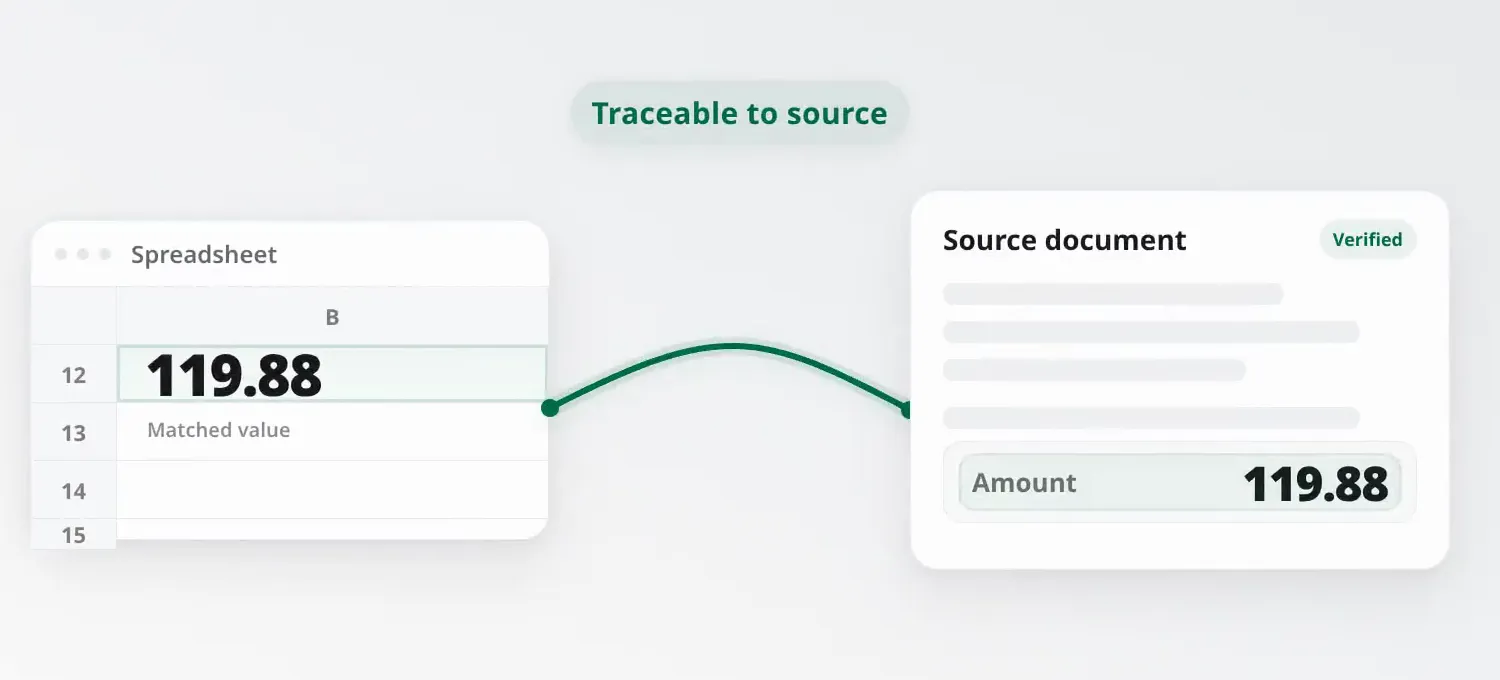
How Sheetminer links an extracted cell value back to its verified source document.
Not every firm needs field-level tracing. If your documents are simple and you’re not handling audits regularly, file-level tracing (Dext/AutoEntry) is fine.
Frequently Asked Questions
Is there a free Dext alternative for invoice capture? Sheetminer doesn’t replace Dext’s accounting platform integrations. If your data ends up in Google Sheets rather than Xero or QuickBooks, it covers the same core job.
Does Dext work with Google Sheets? Not natively. You can export from Dext and import to Sheets manually, but there’s no direct integration.
What is the best AutoEntry alternative? Depends on your workflow. If you need Xero/QBO integration, Dext is the closest equivalent. If you work in Google Sheets, Sheetminer is a better fit. If you’re staying on Sage, AutoEntry is still the strongest option there.
What happened to AutoEntry? Sage acquired AutoEntry in 2021. The product still works, but development is Sage-driven. Some users report slower feature updates. For Sage users, the tighter integration is a net positive. For non-Sage users, the value proposition has weakened.
Can I switch from Dext to Google Sheets? Yes. Install Sheetminer, set up your columns, and start processing. No data migration needed.
Is Sheetminer an OCR tool? Its main mode uses OCR as part of structured extraction: it identifies specific invoice fields (totals, dates, VAT numbers, supplier names) and maps them to spreadsheet columns. But the Snip tool can also be used as a general-purpose OCR tool. Draw a box around any text in a PDF or image and extract it into a cell. So yes, it works as both.
Try Sheetminer
If Google Sheets is where your data lives, give Sheetminer a try.
Install Sheetminer →